AI-Native WebOS & Local Mac Computer Control
Tunneling between AI models and your local computer with dedicated contextual workspaces, native macOS Finder virtual drives, WebOS mirroring, and a vibecoding app platform.
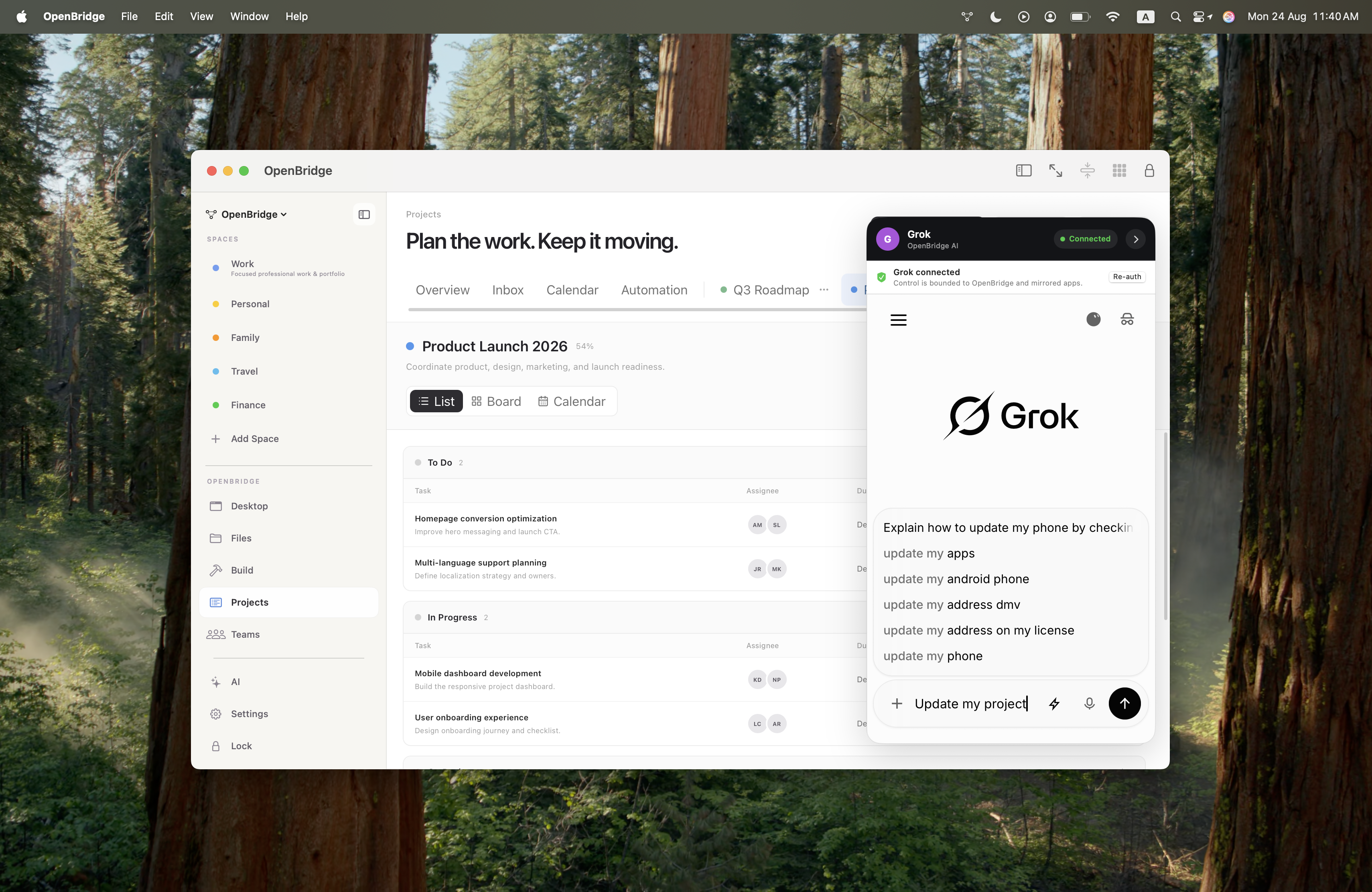
OpenBridge is a user-authorized bridge and AI-native platform that connects ChatGPT, custom Grok connectors, and cloud models directly to your Mac.
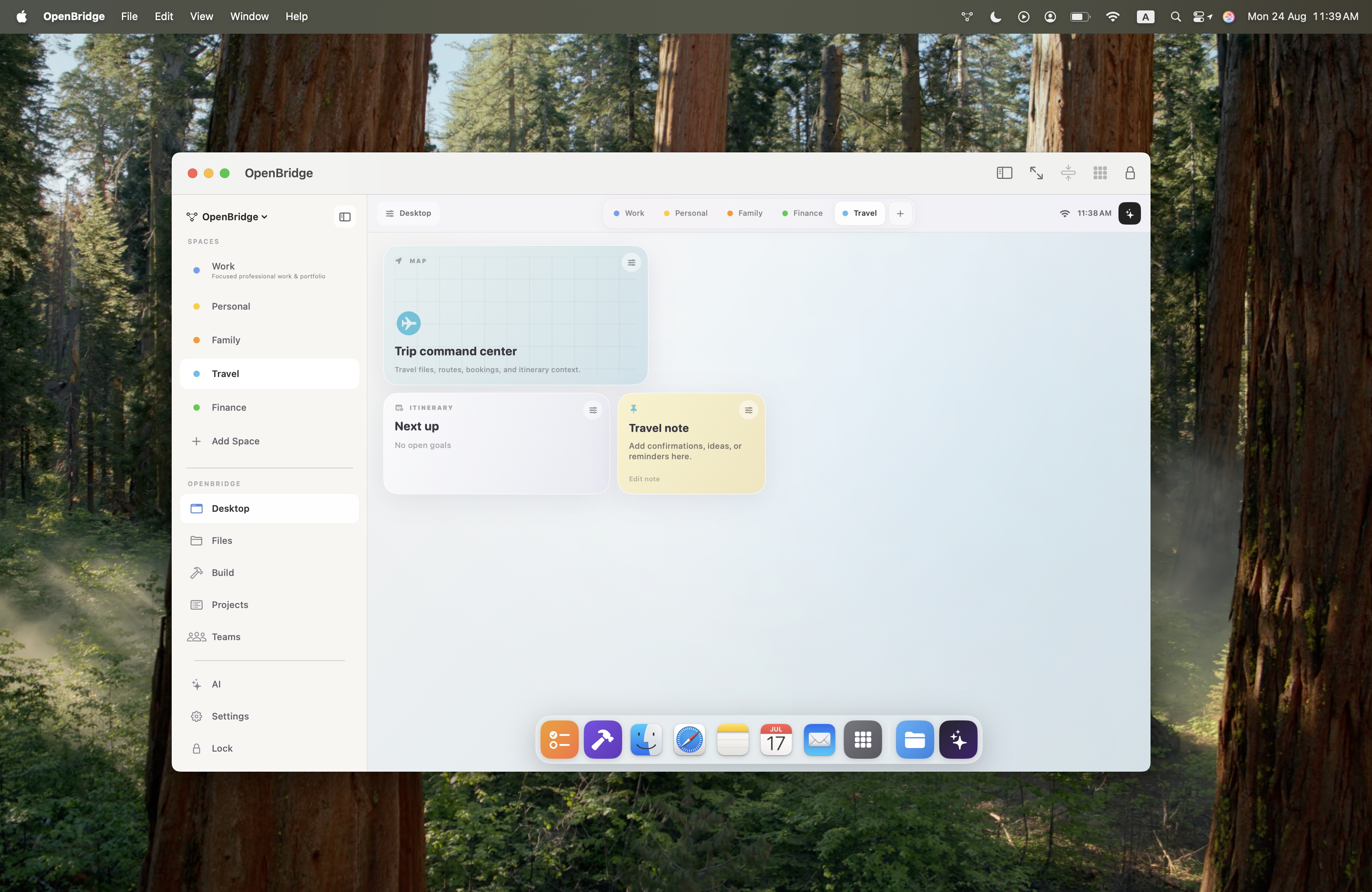
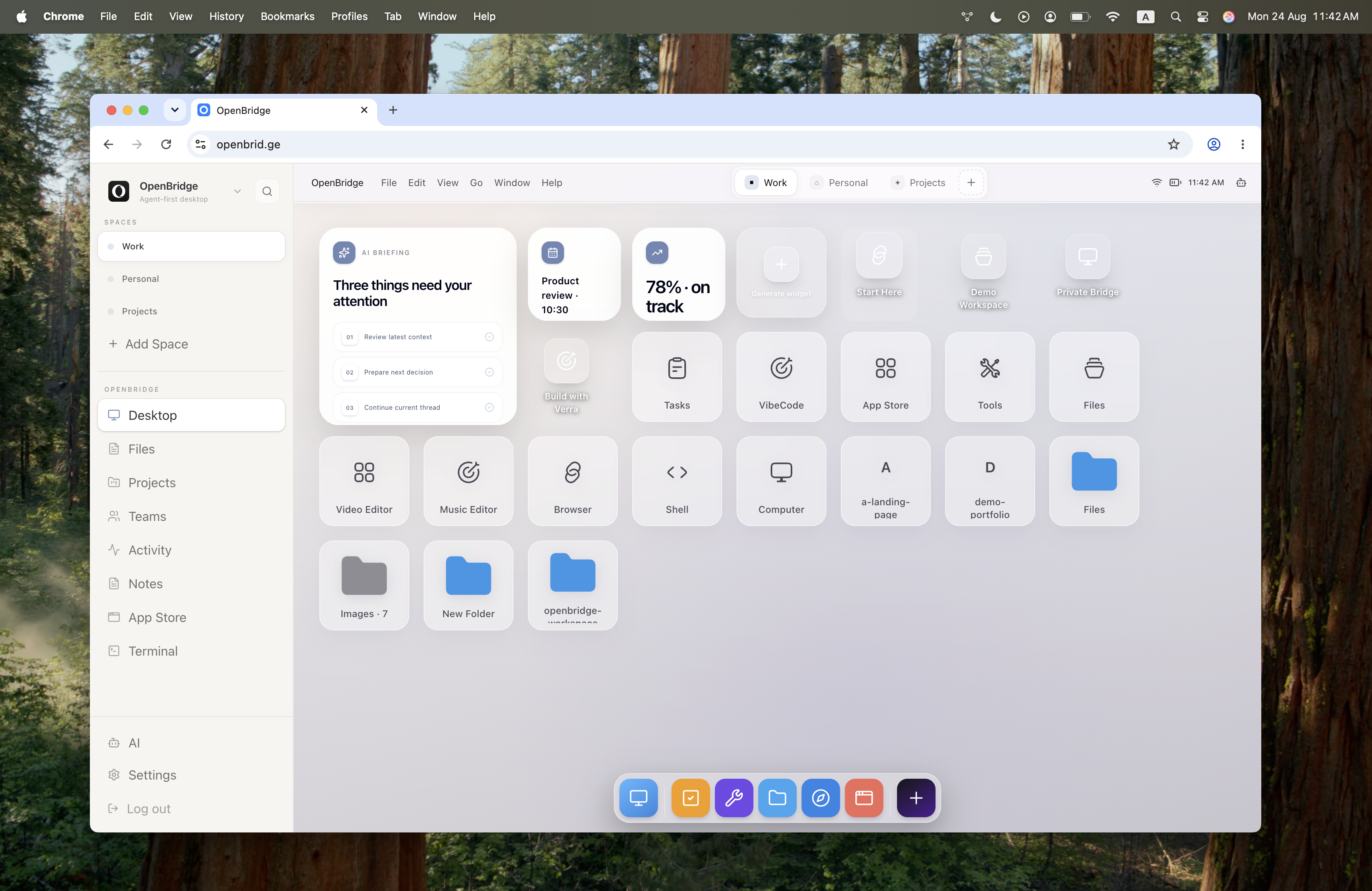
Through a custom-built macOS app, OpenBridge creates dedicated contextual workspaces that isolate files, apps, and widgets (for Work, Personal, Money, Projects, etc.) so the AI sees only the context it needs.
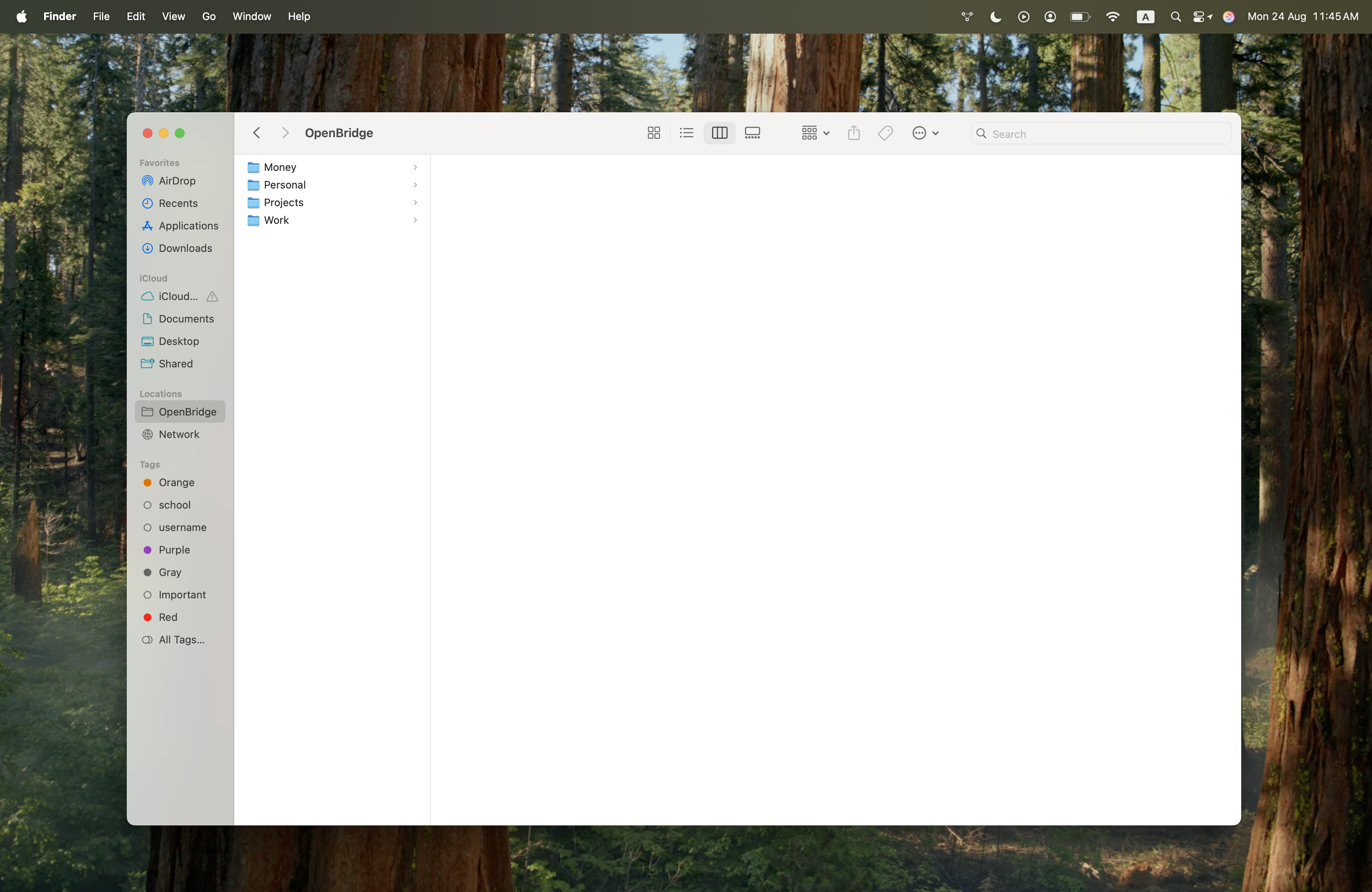
OpenBridge mounts directly as a virtual drive in your local macOS Finder sidebar, allowing you to browse, manage, and edit AI-organized files and virtual workspace structures seamlessly within your native desktop OS.
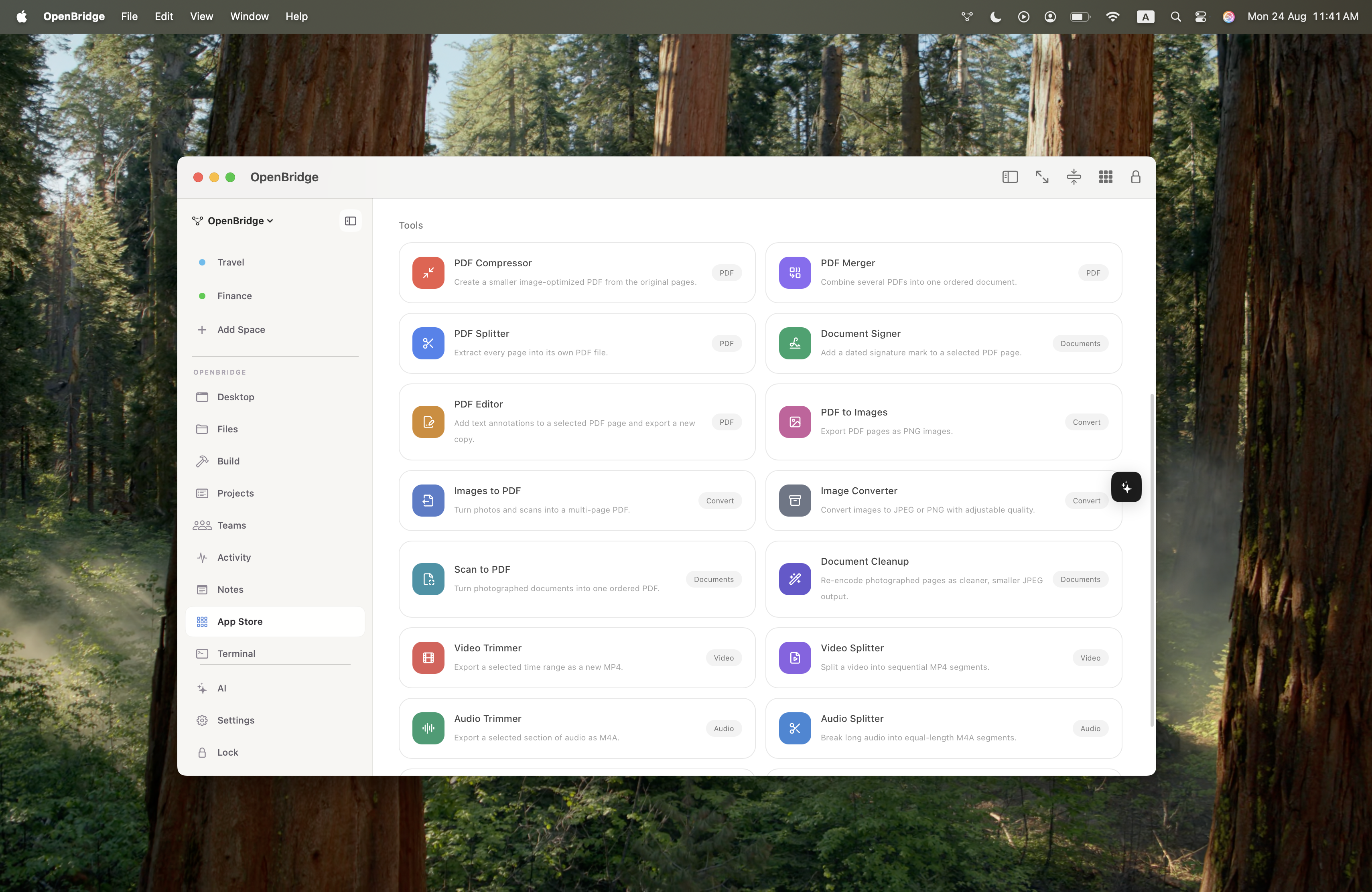
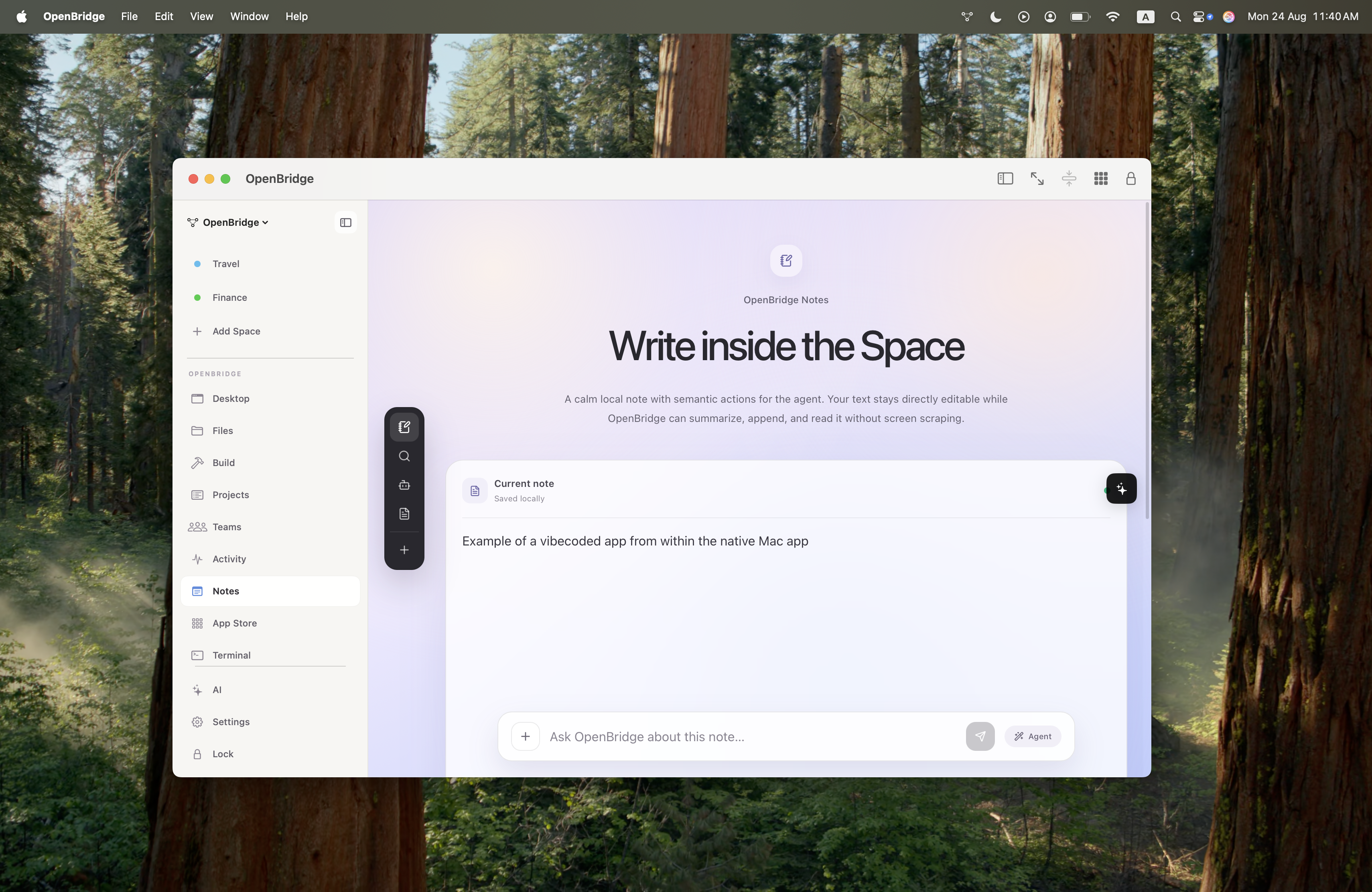
It mirrors your Mac to a WebOS interface for remote access on the go, includes a full productivity suite (project management, notes, file management, collaboration), hosts native tools (media editors, PDF manipulation, to-do lists), and uses vibecoding to empower users to build and share their own apps.
Role
Founder & Product Lead
Responsibilities
- Product Vision & AI Bridge Architecture
- macOS Native App & Spatial Workspace UX
- macOS Finder Virtual Filesystem Integration
- WebOS Mirroring & Remote Interface Design
- Vibecoding Engine & App Store Platform
AI Tunnel & Mac Control
Grok Connectors & ChatGPT Integration
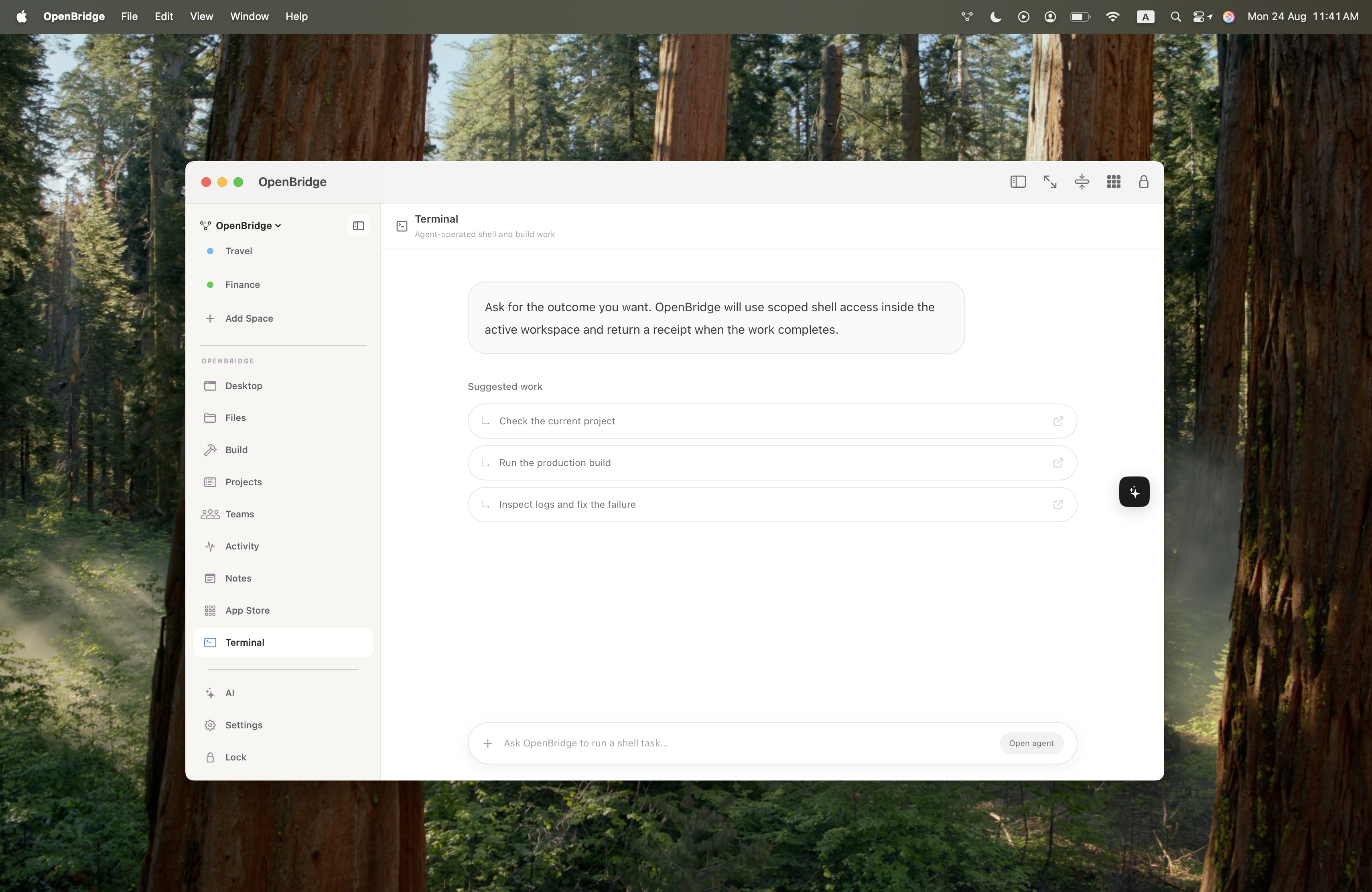
OpenBridge leverages custom Grok connectors and a dedicated ChatGPT plugin to create a secure, bi-directional tunnel to your Mac. This enables AI models to directly inspect code, execute local terminal commands, organize file trees, and make real-time system changes on your local machine with user authorization.
Contextual Spatial Workspaces
Scoped AI Awareness for Privacy & Precision
Rather than giving AI unstructured, unlimited access to your entire system, OpenBridge uses a native Mac app to construct dedicated workspaces—such as Work, Personal, Money, and Projects.
Each workspace encapsulates relevant files, apps, and widgets. The AI operates strictly within the active space context, preventing context bleeding, protecting personal privacy, and dramatically improving model performance.
Native macOS Finder Integration
Browse AI-Organized Virtual Files in Local Finder
OpenBridge mounts as a virtual filesystem directly in your macOS Finder sidebar under Locations.
You can explore, drag, drop, and open your AI-organized virtual files (Work, Personal, Projects, Money) right inside native macOS Finder, bridging the gap between cloud AI generation and local Mac workflows.
WebOS Mirroring
Your Local Machine, Anywhere on the Web
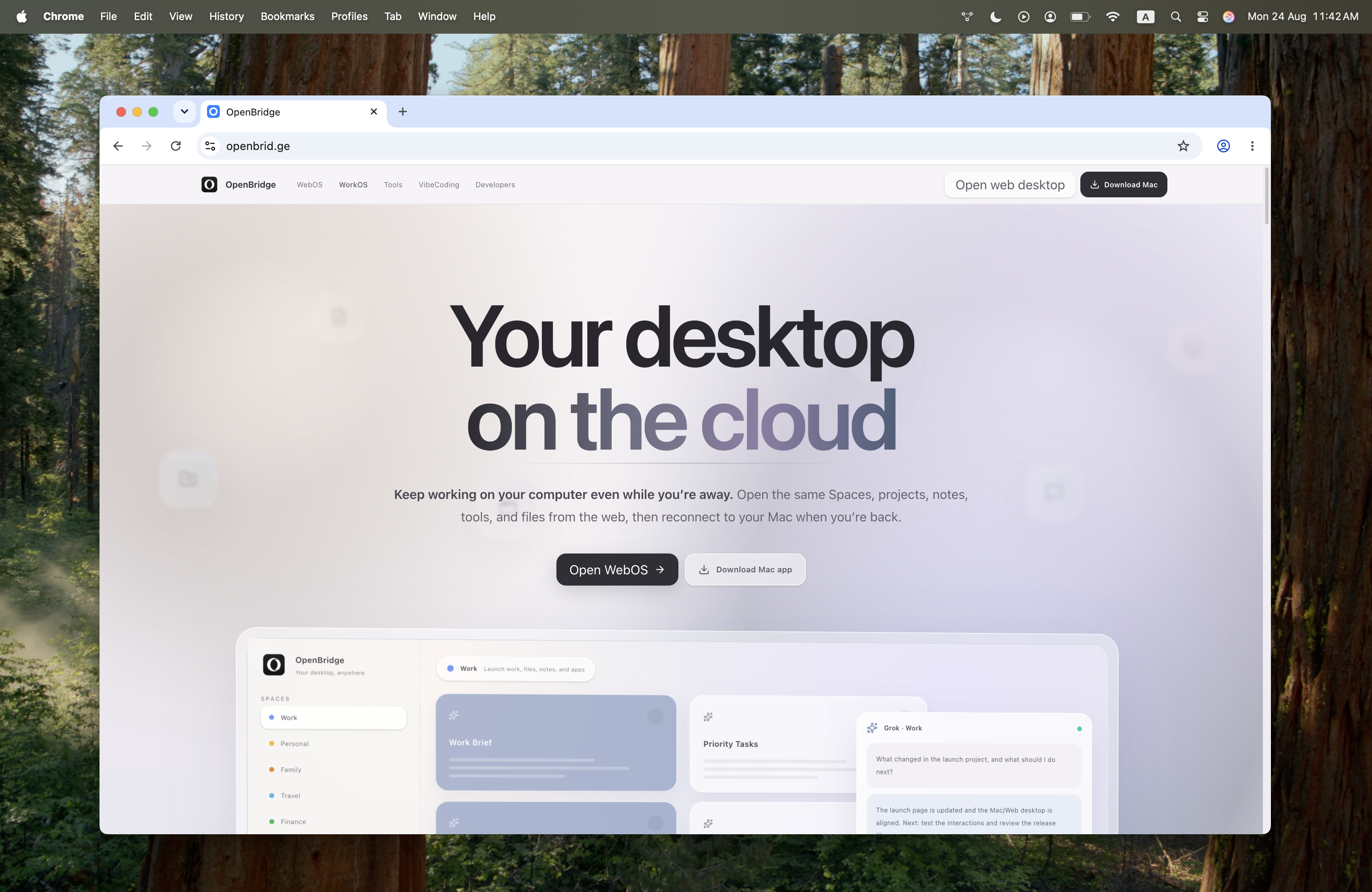
OpenBridge mirrors your Mac into an ultra-responsive WebOS interface. Whether you are on a phone, tablet, or secondary computer, you can monitor local processes, trigger AI executions, and manage your local desktop on the go.
Built-in Productivity & Everyday Utilities
Project Management, Files & Media Editors
OpenBridge comes equipped with an integrated productivity suite out-of-box: project management boards, note-taking, file management, and real-time collaboration tools.
It also hosts custom-built apps for daily tasks, including media editors, PDF and file manipulation tools, interactive to-do lists, and quick-action utilities.
Vibecoding & App Ecosystem
Build & Share Custom Apps via AI
OpenBridge introduces a built-in "vibecoding" environment that allows anyone—regardless of technical background—to prompt AI to generate, test, and publish custom micro-apps.
Users can deploy apps for their own private workflows or share them with the broader OpenBridge community.